Onboard weighing for fleet operators

Payload and axle weight information your operation can act on.

Kinishi develops the vehicle system and its connected reporting together. See the load in the cab, extend the information to the operation when needed, and begin with an evaluation of your own requirement.

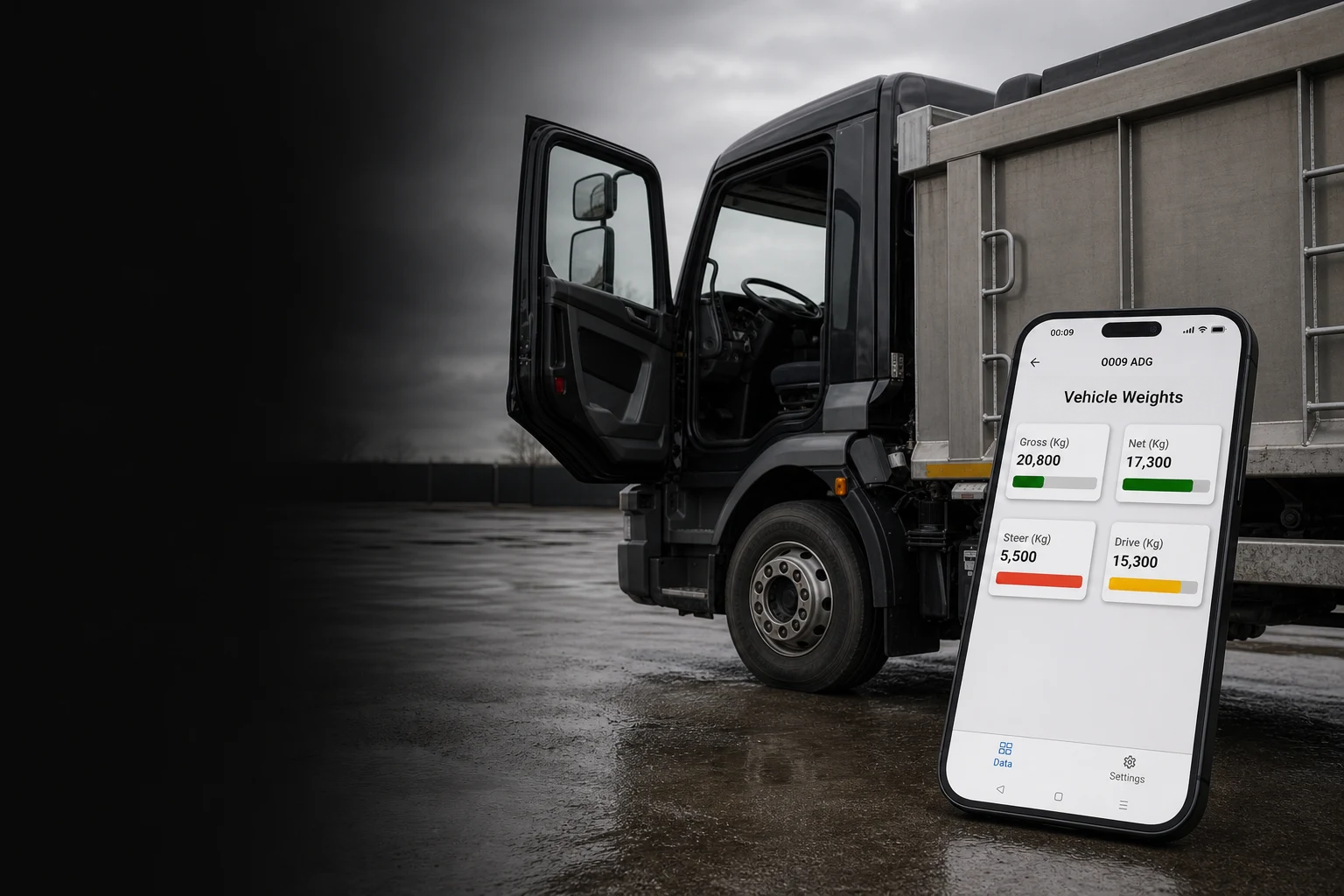
Illustrative fleet vehicle with its cab open and a phone showing the onboard weighing app

One system.
Two places it matters.

The vehicle and the operation ask different questions of the same system. One physical architecture connects sensing, modules and the core unit the driver reads — on a display or in the Onboard app; optional connected reporting carries the same information beyond the vehicle when it is needed.

One cable runs the length of the vehicle. Everything taps off it.

The shared physical system uses a single 2-core cable running the length of the vehicle. Standard modules tap off it wherever the vehicle configuration requires.

  • Vehicle sensingChosen for the vehicle, suspension and application.
  • System modulesStandard modules tap onto the shared cable where required.
  • Core unitAxle, gross vehicle and payload information in the cab — on a display or in the Onboard app.
  • Connected reportingAn optional layer carrying information beyond the vehicle.
  1. At the vehicle

    Axle weights, gross vehicle weight and payload are presented in the cab, where drivers and loading teams can use the information during loading. Drivers read the load on the in-cab display or in the Onboard app, as each vehicle is specified.

    • Information available where loading decisions are made
    • Sensing configured around the vehicle and application
    • Load distribution where the sensing configuration supports it
  2. Across the operation

    When connected reporting is included, vehicle weight information can continue beyond the cab. The reporting requirement is defined around how the operation needs to use it.

    • Reporting added when the requirement calls for it
    • Operational and integration needs reviewed together
    • One Kinishi product route across hardware, firmware and reporting
Ask a technical question

Built and tested by the people who designed it.

The system is designed, manufactured and functionally tested by Kinishi in the UK. Electronics manufacture and test happen alongside the engineering team, so what production reveals reaches the people who design the system.

In house at Kinishi

Electronics and cable assemblies built in house

System electronics and cable assemblies are built by Kinishi in the UK, alongside the engineering team responsible for the product.

Standard on every system

Full functional end-of-line test

Every system receives a full functional end-of-line test before despatch.

Manufacturer or franchised source

Controlled component sourcing

Components are sourced from manufacturers or franchised distributors. Kinishi does not use grey-market parts.


Connected reporting carries the information beyond the cab.

The vehicle system and its weight information form the physical layer. Connected reporting is an optional extension for operations that need that information beyond the cab.

Explore connected reporting
Vehicle systemWeight information in the cab
Reporting layerExtends the information path
Operational useDefined for the fleet requirement
Concept data path · illustrative, not a product screen or reporting feature record

What defines a vehicle configuration.

The modules are standard. The configuration begins with the vehicle, suspension and application, then records the sensing context and system functions the operation needs. The exact combination is confirmed through evaluation or specification support.

Vehicle arrangement
Rigid vehicle, tractor, trailer or combination; new build or retrofit
Defines the vehicle context
Weight and axle structure
Gross vehicle weight, axle count, axle or group limits and the readings required
Taken from vehicle information
Suspension and sensing context
Mechanical or leaf-spring, air, hydraulic, load-cell or mixed sensing by axle or group
Establishes the input modules
Body and application
Body type, load behaviour, operating environment and how the vehicle is used
Reviewed with the vehicle
Required system functions
Driver view, alerts, switched outputs, tilt compensation, connected reporting or integration
Options agreed for the requirement
Evaluation and commissioning
Vehicle access, reference weighing, loading conditions and what the evaluation needs to establish
Process confirmed before work starts

Start with the decision your fleet needs to make.

Choose the route that matches the work now. Each begins with the vehicle, application and information requirement rather than a pre-set performance promise.

Assess onboard weighing in your own fleet context.

Share the vehicle types, application and information your operation needs to establish.

Request an evaluation

Review a system configuration before a vehicle build.

Bring the vehicle, suspension, application and available build information to Kinishi engineering.

Request specification support

Discuss a fleet requirement outside a standard route.

Start with the application, interfaces and responsibilities that need to be understood.

Discuss a specialist application